Integration Details
Schedule101 integrates with ADP to automate staff onboarding, updates and department setup, making it easy for Managers to keep Employee data up to date, launch new venues, and more.
ADP systems integrated
- 1. ADP Workforce Now®
2. ADP Workforce Now® with Essential Time®
3. ADP Workforce Now® Next Generation
4. ADP TotalSource®
Data flow
- Read data from ADP
Access and sign-in
- ADP single sign-on: Purchasers and users assigned through ADP Marketplace can sign in to Schedule101 through the ADP Marketplace My apps page.
Data sync frequency
- Scheduled
Data fields
- Schedule101 will read the following fields from ADP:
1. First name
2. Last name
3. Home address
4. Email
5. Mobile phone
6. Home phone
7. Job title (ADP Workforce Now only)
8. Hourly Wage
9. Hire date
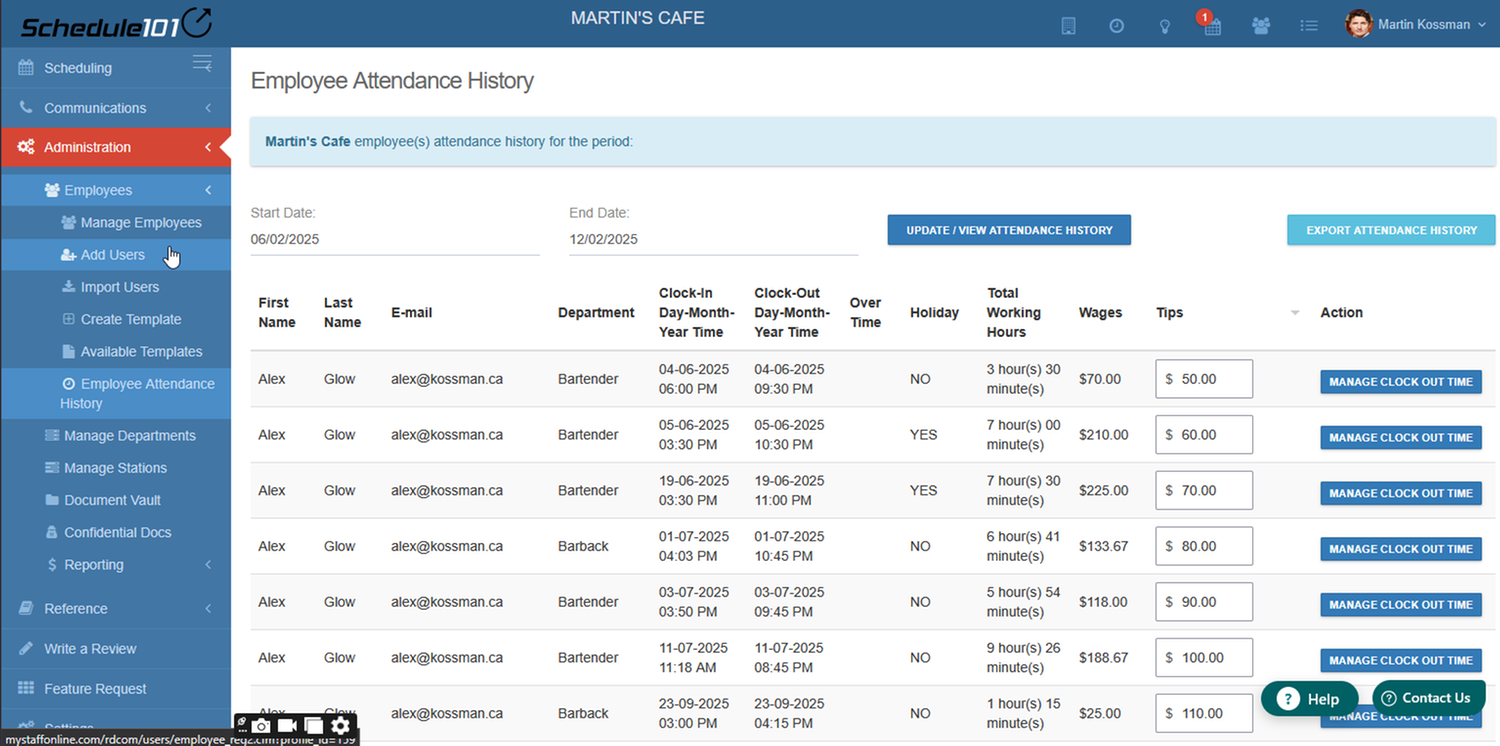
10. Approved Time Off Requests - Schedule101 will send the following fields to ADP:
1. Over Time
2. Holiday
3. Total Working Hours
4. Amount
Export hours worked or schedules
Export the hours worked directly to payroll. Since Schedule101's geofenced, schedule-enforced clock-in / out functionality drives punches to either match the schedule or Manager-accepted exceptions, hours worked are per the plan or as close to it as possible so that there is no discussion at pay periods. Typically when Managers approve an early clock-in or late clock-out they have good reason and we allow you to support that delegation of authority. Tips can be added as well!